Start with one public component and its underlying check. Review the preview, uptime history and custom-domain setup against your publishing requirements.
Hyperping official information ↗Product details can change. Confirm current capabilities with the vendor. SREbox comparison based on publicly available product information.
Automated status pages
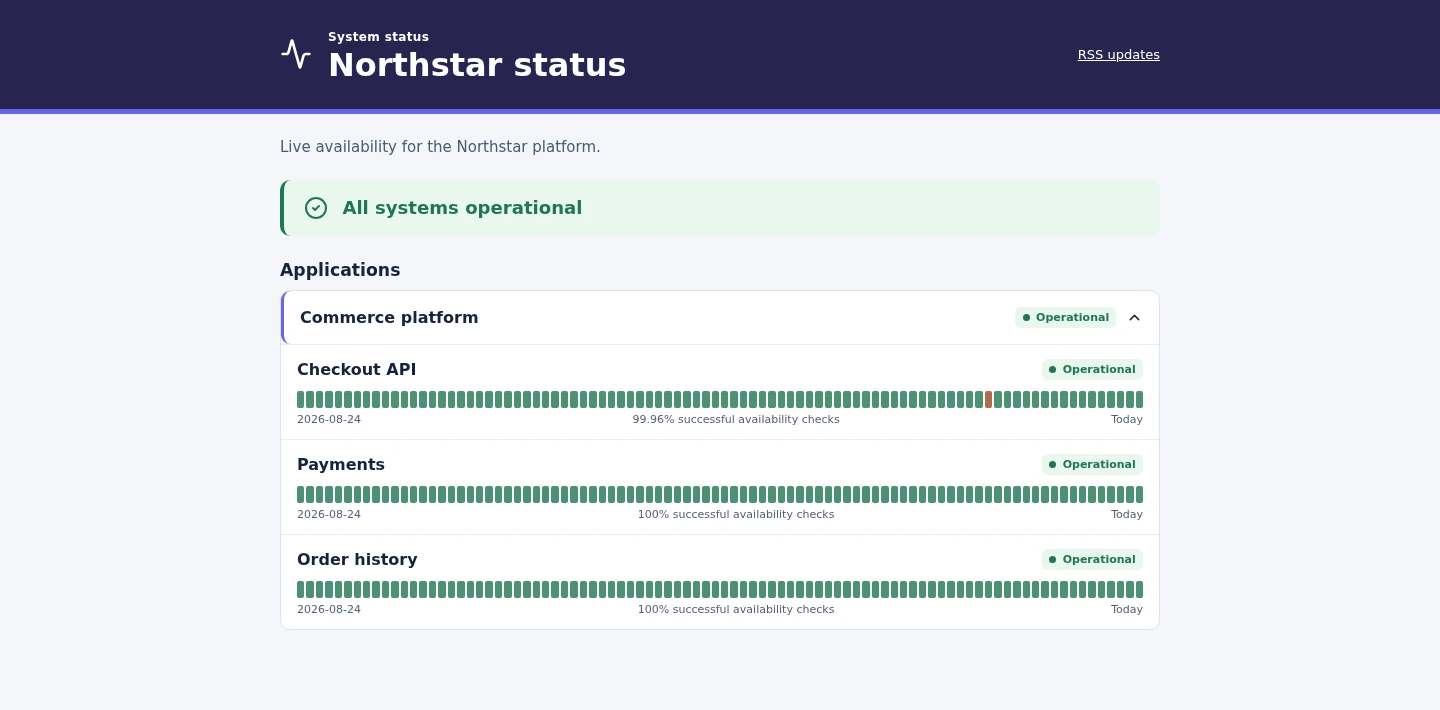
Map service signals to public components. Preview the uptime bars before publishing and verify DNS if you use a custom hostname.
Compare the same service, time period and responder workflow in both products. List the capabilities your team actually uses, then verify each one in a hands-on trial. SREbox focuses on service checks, metrics, logs, conditional alerts, on-call and status pages; it may not replace every specialised workflow in another platform.
01
Choose the services and components that belong on the public page.
02
Preview the page and confirm the component mapping and uptime history.
03
For a custom domain, configure the requested DNS records and check their status before sharing the URL.
A status page communicates the state you publish. Decide which internal services and incident details are appropriate for public visibility.
This page is an independent product comparison, not an endorsement or an assertion of feature parity. Verify current product details with the vendor.
Clear monthly pricing
Hyperping and SREbox pricing
A like-for-like total depends on which products, usage and billing term you need. Here is a sourced starting point alongside SREbox’s published workspace plans.
SREbox billingOne price per organisation
The subscription covers the workspace, not each seat. Adding team members does not multiply the base plan price.
Hyperping billing basisCheck the pricing unit
Plan includes a set number of monitors and seats; extra seats can cost more
Hyperping · published starting pointFree for 20 monitors · Essentials from $24/month, billed yearly
Hyperping lists Essentials at $24/month when billed yearly (or $29 month to month). Paid tiers include different monitor, seat and status-page allowances.
Vendor prices checked 27 November 2026; shown in the vendor’s published currency and billing unit, not converted. They can change and product bundles are not direct equivalents. Check the linked source before buying. SMS and voice usage beyond included allowances is available on paid plans using credit top-ups from £10; SMS is 10p per message segment and calls are 10p per started minute.
Frequently asked questions
How should I compare Hyperping with SREbox?
Use the same service and incident scenario in each product. Check the capabilities your team relies on and confirm any migration requirements. Hyperping and SREbox are separate products; this page is an independent evaluation.
What is a sensible first step?
Choose the services and components that belong on the public page. Then verify the result with a real but low-risk service before expanding coverage.